
AI Bedroom Design: Redesign Your Bedroom From a Single Photo
Upload one photo of your bedroom, pick a style, and an AI home design tool hands back a photorealistic makeover in under a minute. AI bedroom design turns a single photo of your room into several restyled versions, keeping the walls and windows intact while swapping the style, color, furniture, and lighting — a workflow built on the same generative-image techniques used across modern interior design.

This guide covers how AI bedroom design actually works from a photo, the best bedroom styles to try, bedroom-specific tips around light, color, and sleep, tricks for small rooms, and a step-by-step workflow you can run today.
How AI Bedroom Design Works
A bedroom photo goes in, and a re-rendered room comes out — but the process behind that swap is more structured than a simple filter. The AI reads the room’s geometry before it changes anything about the look.
From bedroom photo to render
The AI reads the room’s geometry — walls, windows, ceiling, bed, and existing furniture — then re-renders the scene in a new style while a structural lock keeps the architecture fixed. Nothing about the room’s actual shape moves; only the surfaces, colors, and furnishings change. A finished render typically comes back in 10 to 30 seconds, and most tools return multiple variants from the same source photo so you can compare directions side by side before committing to one.
What the AI optimizes for
Beyond restyling surfaces, the AI evaluates bed placement for balance, light direction, and focal point, along with traffic flow and storage. It also builds in layered lighting rather than one flat wash of brightness. The structure of the room stays put; only the decor, palette, and lighting scheme change around it. In practice, the optimization targets break down into:
- Bed placement — balance, focal point, and light direction
- Traffic flow — clear paths around the bed and doorways
- Storage — working existing furniture into the new layout
- Layered lighting — morning daylight, warm evening light, and task lighting treated as separate layers
Best Bedroom Styles to Generate With AI
Style libraries differ by tool, but bedroom presets tend to fall into two broad moods: calm-and-cozy and bold-and-warm. Knowing which family a style belongs to makes it easier to pick a starting point before generating variants.

Calm & cozy: Scandinavian, Japandi, Coastal
Scandinavian design leans on light woods, a neutral palette, and the hygge idea of a warm, unpretentious retreat — a look rooted in Scandinavian design traditions from the Nordic countries. Japandi blends Japanese minimalism with Scandinavian warmth: low bed profiles, natural materials, and a wabi-sabi comfort with visible imperfection. Coastal style favors airy whites and blues with an emphasis on natural light, evoking a beach-house calm without literal nautical props.
Bold & warm: Boho, Industrial, Luxury/Hotel
Bohemian bedrooms build depth through layered textiles, plants, and an eclectic mix of patterns and eras rather than a matched set. Industrial style leans into exposed brick, metal fixtures, and a moodier palette borrowed from converted lofts. Luxury or hotel-inspired design centers on plush bedding, a statement headboard, and symmetrical bedside lamps — the kind of polish associated with a five-star turn-down service rather than an everyday bedroom.
| Style | Mood | Signature elements |
|---|---|---|
| Scandinavian | Calm, bright | Light wood, neutral palette, hygge |
| Japandi | Calm, grounded | Low bed profile, natural materials |
| Coastal | Calm, airy | Whites and blues, natural light |
| Bohemian | Bold, layered | Textiles, plants, eclectic mix |
| Industrial | Bold, moody | Exposed brick, metal, dark tones |
| Luxury/Hotel | Bold, polished | Plush bedding, statement headboard |
Bedroom-Specific Design Tips AI Applies
A living room and a bedroom optimize for different things — a bedroom render also has to account for sleep quality, not just visual appeal. AI tools trained on bedroom-specific data apply a handful of consistent rules.
- Anchor color choices around rest, not just contrast
- Keep lighting layered instead of relying on one overhead fixture
- Size the rug and textiles to the bed rather than the room
- Balance pillow count for a queen or king frame
- Leave clear floor space around the bed for traffic flow
Color and light for better sleep
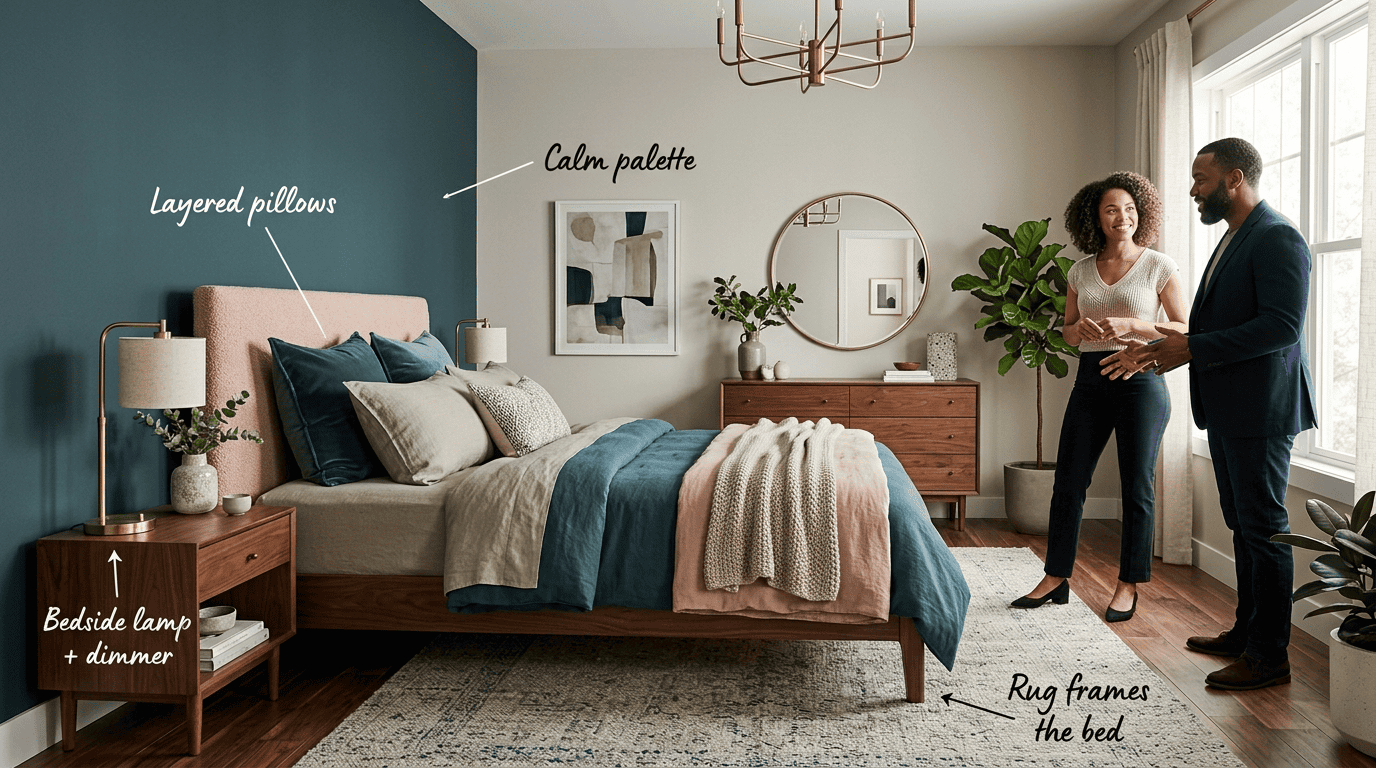
Cool, calming colors — soft blues, greens, and warm neutrals — are widely associated with more restful sleep, while a room held around 65-68°F is generally considered the sleep-friendly range. According to the Sleep Foundation, people with blue bedrooms report the longest average sleep per night, while green and white are linked with calm, relaxed associations and red, orange, and black are linked with stimulation or negative emotions that can work against sleep — which is why AI bedroom tools favor cool, calming palettes as defaults rather than saturated, high-energy tones. Layered lighting — a bedside lamp plus a dimmer, instead of one harsh overhead light — gives the room a wind-down mode that a single ceiling fixture can’t replicate.
Have nothing in your house that you do not know to be useful, or believe to be beautiful.
William Morris
That principle applies directly to a bedroom redesign: every layer an AI adds — a rug, a second lamp, an extra pillow — should either serve comfort or genuinely improve the look, not just fill space.
Bed, rug and textiles
The bed anchors the composition, so AI tools typically place it against the main wall first and build the rest of the layout around that fixed point. A rug should extend roughly 2-3 feet beyond the sides of the bed so it reads as a frame rather than a mat. For a queen bed, 4-6 pillows layered in varying sizes and textures adds visual depth without crowding the headboard, and layered bedding — a duvet plus a throw or coverlet — reads as more finished than a single flat comforter.
| Element | Guideline |
|---|---|
| Room temperature | 65-68°F for sleep-friendly comfort |
| Rug overhang | 2-3 ft beyond the bed’s sides and foot |
| Pillow count (queen) | 4-6, layered in varying sizes |
| Lighting layers | Bedside lamp + dimmer instead of one overhead fixture |
Designing a Small Bedroom With AI
Small bedrooms have less room for error, since every piece of furniture competes for the same limited floor space. AI redesign tools apply a specific set of space-optimization moves for tighter rooms.
Make a small room feel bigger
A handful of moves consistently make a small bedroom read as larger on screen and in person:
- Light color palettes that reflect available light and push walls visually farther apart
- A mirror placed opposite a window to double the sense of natural light
- Floating nightstands — mounted rather than floor-standing — to free up visible floor area
- Vertical or multifunctional storage, like a headboard with built-in shelving or an ottoman with storage inside
It’s worth generating two or three layout variants on the same source photo before buying any furniture, since a render costs nothing and a wrong-sized piece is expensive to return.
Step-by-Step: Redesign Your Bedroom With AI
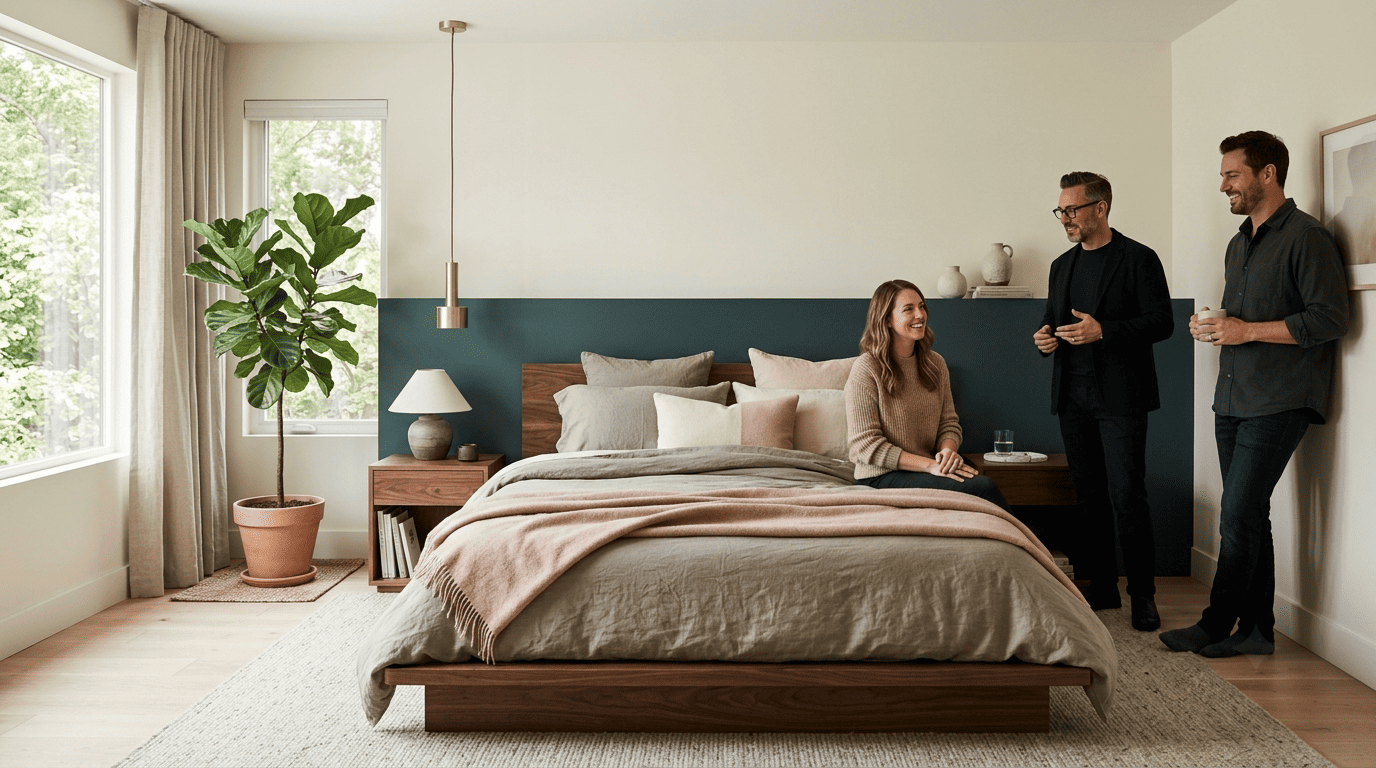
The full workflow, from a phone photo to a finished render, follows the same four stages regardless of which tool you use.

- Upload a well-lit corner photo of the bedroom. Daylight and a corner angle give the AI the most geometry to work with.
- Pick a style and mood. Choose a preset like Scandinavian or Japandi, or describe a specific direction.
- Generate photorealistic variants in seconds. Most tools return several options from the same photo so you can compare directions.
- Refine the result. Adjust colors, re-roll a variant you don’t love, or blend elements from two different styles.