
AI Living Room Design Ideas: 8 Ways to Reimagine Your Space
The living room is the room guests see first and the one you live in most, so it is the natural place to start when you try home designs ai. AI living room design turns a photo — or even a plain text description — into dozens of realistic, styled concepts in seconds, complete with furniture, palette, and decor.

This guide collects eight practical AI living room design ideas: the styles worth trying, how to feed the AI a photo versus a prompt, layout and small-space tricks, and where to get it done for free.
Can AI Actually Give You Living Room Ideas?
Yes — and that is the point. Where you once collected inspiration you could never quite apply to your own space, an AI living room design generator produces ideas rendered in YOUR room, not a stock photo. Tools like AI Room Planner promise hundreds of ideas for free, and MyArchitectAI returns a fresh concept in under 10 seconds. The living room — historically the home’s most-designed social space — is the ideal testing ground for this kind of virtual room decorator.
From blank wall to a wall of options
A generic mood board never accounted for your windows, your ceiling height, or the odd angle of your bay wall. An AI living room designer does, because it starts from your actual space and layers style on top of it.
Two ways in: a photo or a prompt
You can upload a photo of your existing living room and let the AI restyle it, or describe the room you want in words and generate it from scratch. Both routes are covered below, and most living room design apps support either one from the same screen.
Idea 1-3: Living Room Styles Worth Generating
The safest high-impact starting points are the presets nearly every tool ships with. Scandinavian design leans on white walls, light wood floors, and a cozy neutral palette; Minimalist strips back to essentials; Modern keeps clean lines with a few bold shapes. Home Design AI alone lists nine living room styles, and most competitors offer at least Modern, Scandinavian, and Minimalist as one-click presets.
Japandi, wabi-sabi, and warm organic looks
For 2026, the most-requested prompts trend organic rather than glossy:
- Japandi — Japanese-Scandinavian calm, handcrafted furniture, muted tones
- Wabi-sabi — imperfect natural textures, raw wood, aged stone
- Coastal Mediterranean — whitewashed walls, natural stone, terracotta tones
- Mountain cabin — heavy timber, stone fireplace, layered textiles
MyArchitectAI names all four among its living room presets, alongside a penthouse look for anyone chasing the opposite mood.
Luxury, industrial, and dramatic moods
For a bolder statement, generate a modern urban penthouse (floor-to-ceiling glass, moody upscale furniture), an industrial room (exposed brick and metal), or a full luxury living room. Because a render costs nothing but a few seconds, AI makes it cheap to audition a dramatic look before committing paint or furniture money to it.

Idea 4: Get the Color Palette Right
Have nothing in your houses that you do not know to be useful, or believe to be beautiful.
William Morris, designer, as held by the Victoria and Albert Museum
Beyond furniture, AI living room design tools recommend a coordinated color palette and decor to match it. Use them to test a scheme against your actual light before you buy a single can of paint — a rendered wall in warm afternoon sun looks nothing like the same swatch under a showroom bulb. A little color theory helps here: pick one dominant wall tone, one secondary tone, and one accent, then let the AI render all three together in the same image.
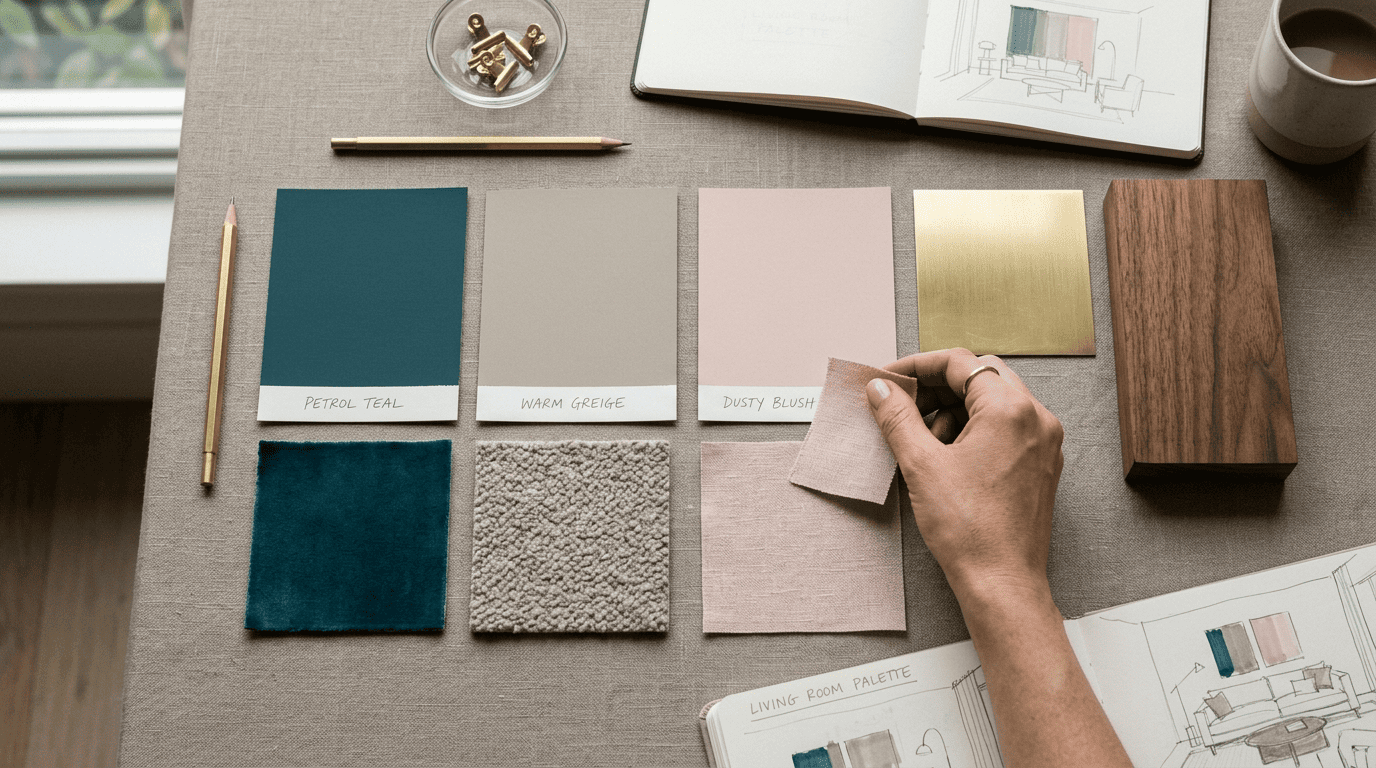
Here is how the main tools split up palette and decor guidance:
| Tool | Palette guidance | Decor suggestions |
|---|---|---|
| MyArchitectAI | Style-matched palette per render | Yes, bundled with render |
| Home Design AI | Preset per style | Yes |
| Planner 5D | Palette tied to layout plan | Yes, with placement |
Idea 5: Rework the Furniture Layout
Some tools go past surface styling into layout. Planner 5D’s AI optimizes furniture arrangement and room flow, suggesting the best placement and flagging problem areas like tight walkways or cluttered corners — the same circulation logic that traditions like feng shui have long emphasized for a home’s main gathering room.
Its Smart Wizard suggests placement automatically. Rather than dragging a sofa around a floor plan by hand, you describe the room and let the wizard propose a starting arrangement you then adjust.
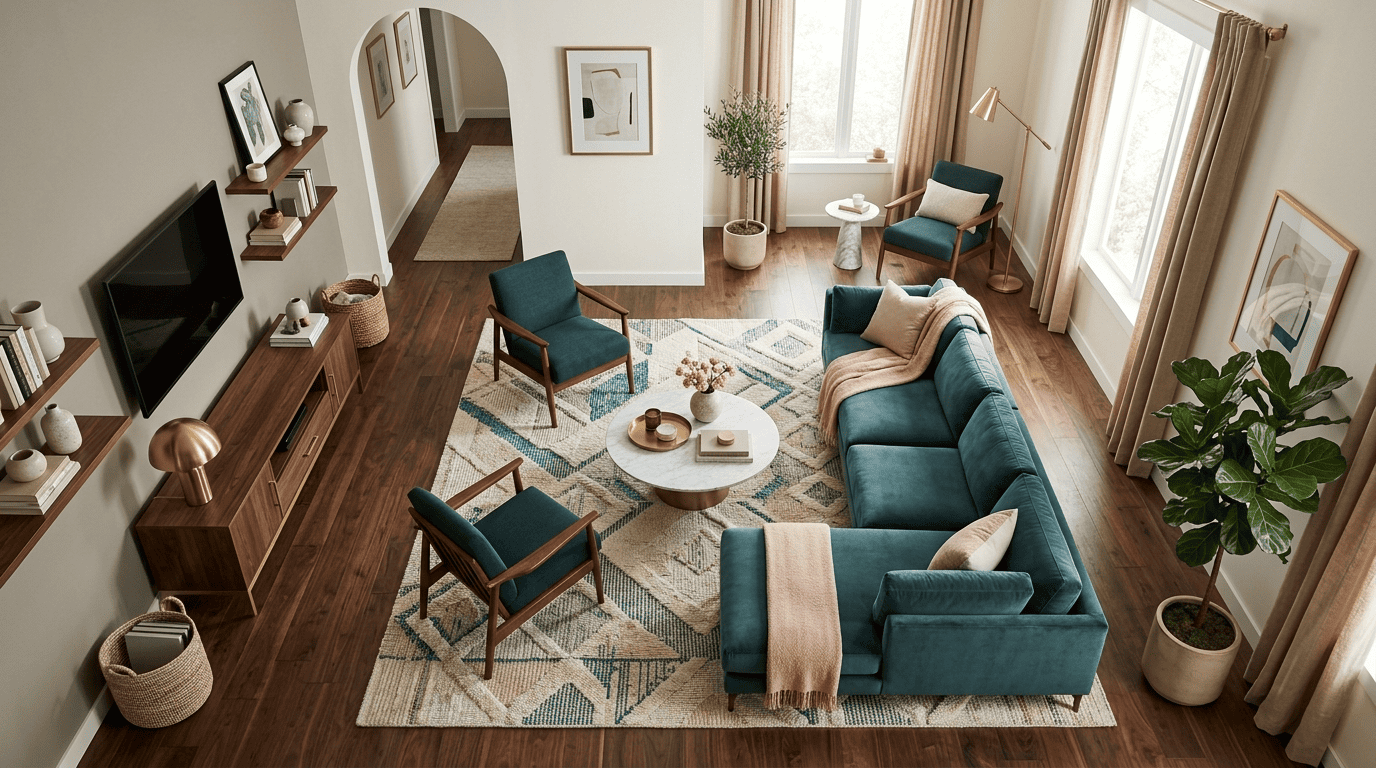
It flags circulation problems before you buy anything. A walkway that looks fine on a flat plan can be unusable in person; catching that in a render is far cheaper than catching it after the sofa arrives.
Idea 6: Make a Small Living Room Feel Bigger
An AI living room design app earns its keep fastest in a small or awkward room, where every design ai idea has to work around a fixed footprint instead of an open floor plan.
Structure-preserving ideas for renters
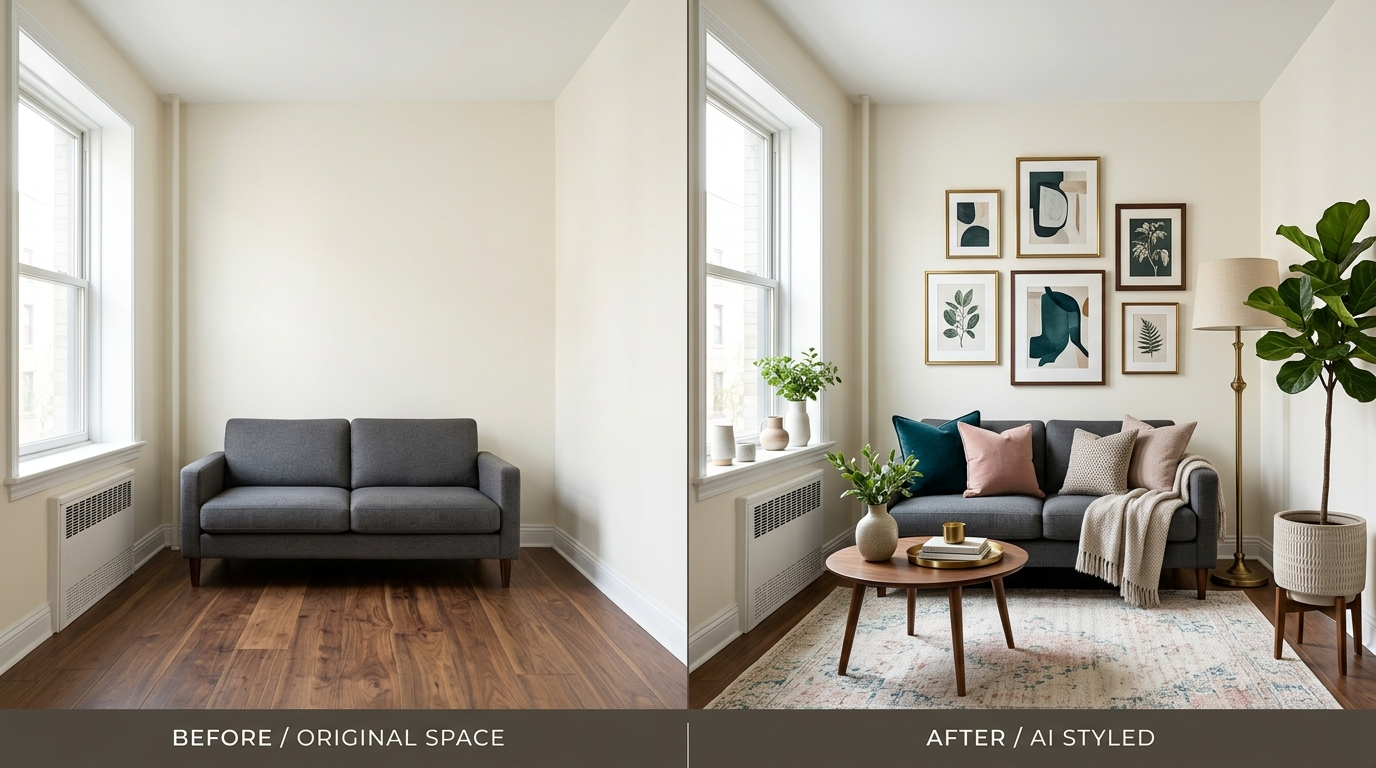
For a tight or rented space, structure-preserving AI — Ideal House is one example — adds decor without moving your furniture or changing wall color:
- Wall art sized to the actual wall it will hang on
- Rugs that match the room’s existing floor tone
- Potted plants scaled to the ceiling height
- Lighting fixtures that plug into existing outlets
That makes it well suited to apartments where you want fresh living room ideas without permanent changes, and it is a natural fit if you already lean on an AI home design assistant for the rest of the home.
Why preserving structure matters here
A tool that repositions your sofa or repaints a rented wall generates an idea you cannot actually execute. Structure-preserving output stays realistic precisely because it respects the constraints a renter or small-space owner is already living with.
Idea 7: Write Better Prompts
If you generate from text instead of a photo, specifics win. Here is a short workflow for building a prompt that actually returns what you pictured:
- Name the design style («Japandi,» «coastal Mediterranean»)
- List materials («oak floor,» «boucle sofa,» «linen curtains»)
- Specify the color palette (dominant, secondary, accent)
- Describe the lighting («soft window light,» «warm evening lamp glow»)
- Add a camera angle if the tool supports one («eye-level, wide shot»)
- Describe what you want included, not excluded
- Generate, then refine one element at a time rather than rewriting the whole prompt
MyArchitectAI’s own prompt guidance stresses that last point: «handleless cabinet» reliably beats «cabinet without handles,» because the model renders toward what is named, not what is negated.
Idea 8: Do It Free, No Signup
Several living room design apps cost nothing to try, and none of them require a credit card up front:
- AI Room Planner — free, no limit, currently in beta
- MyArchitectAI — 10 free renders; a commercial licence kicks in on the paid plans
- Home Design AI — works with no login at all
- Ideal House — free tier for structure-preserving decor
Start free, generate a handful of directions, and only pay if you need a higher-resolution export. An AI home designer can carry a living-room idea through to palette, layout, and a shopping list without ever asking for an account.
AI Living Room Design vs a Traditional Designer
A human interior designer typically charges $2,000 to $10,000 per room and delivers one or two directions per meeting, spaced weeks apart. AI generates unlimited ideas for free or a few dollars, in the time it takes to make coffee.
| AI living room design | Traditional designer | |
|---|---|---|
| Cost per room | Free to a few dollars | $2,000-$10,000 |
| Turnaround per idea | Seconds | Days to weeks |
| Sourcing & measurements | Left to you | Handled for you |
| Best for | Exploring directions fast | Full execution |
The honest reading is that AI is an idea engine, not a full replacement. It leaves sourcing, ergonomics, and construction to you. Use it to explore and decide, then hire a professional only if the project is large enough to justify the cost.